What Is a User Agent String, and Why Do Websites Care?
Your browser names five other browsers every time it loads a page. The reason is thirty years of browsers pretending to be each other.

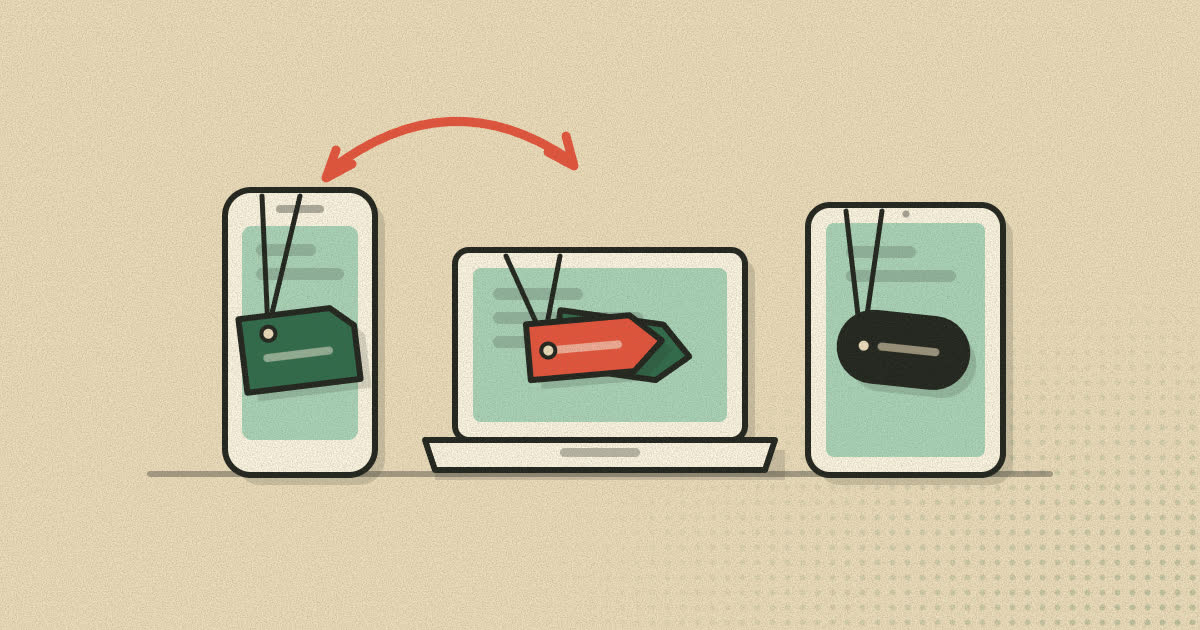
Every request your browser makes carries a short line of text describing the software that sent it. In Chrome on Windows it reads something like this:
Mozilla/5.0 (Windows NT 10.0; Win64; x64) AppleWebKit/537.36 (KHTML, like Gecko) Chrome/143.0.0.0 Safari/537.36That line mentions Mozilla, AppleWebKit, KHTML, Gecko, Chrome and Safari. You are using one browser. This is the user agent string, and the clutter inside it is the result of three decades of browsers pretending to be one another so that websites would treat them properly.
Here is where it came from, what sites actually do with it, why browser makers have started freezing it, and when changing it is useful.
What the user agent string is
HTTP, the protocol every web page travels over, lets a client describe itself in a User-Agent request header. The current HTTP specification, RFC 9110, defines the header, and MDN describes it as "a characteristic string that lets servers and network peers identify the application, operating system, vendor, and/or version of the requesting user agent."
The same value is available to scripts on the page through navigator.userAgent. So a site can read it both on its server, when the request arrives, and in the browser, after the page loads.
For web browsers MDN gives the usual shape as:
Mozilla/5.0 (<system-information>) <platform> (<platform-details>) <extensions>How it got so strange
The best known telling of this history is a 2008 post by Aaron Andersen on the WebAIM blog. The short version goes like this.
Early browsers named themselves honestly. NCSA Mosaic sent NCSA_Mosaic/2.0 (Windows 3.1). Then Netscape arrived. Its internal name was Mozilla, which the WebAIM post explains as short for "Mosaic Killer," and it identified itself as Mozilla/1.0.
Netscape supported frames and Mosaic did not, so web developers started checking the user agent and sending framed pages only to browsers that said "Mozilla." When Internet Explorer arrived it also supported frames, but it was not Mozilla, so it got the plain version. Microsoft's answer was to make Internet Explorer say it was "Mozilla compatible," with strings like Mozilla/1.22 (compatible; MSIE 2.0; Windows 95).
That pattern repeated for every new engine:
- The Mozilla project's Gecko engine, which later powered Firefox, used
Mozilla/5.0plus aGecko/token, and sites began checking for Gecko. - Konqueror's KHTML engine was not Gecko, so it added
(KHTML, like Gecko)to receive the same pages. - Apple built Safari on KHTML, forked it into WebKit, and kept the "like Gecko" wording so sites written for KHTML kept working.
- Google's Chrome used WebKit and kept the Safari tokens too.
Each browser inherited the previous browser's disguise and added its own name at the end. MDN's summary of the first token is dry but accurate: "For historical reasons, almost every browser today sends it."
Reading a modern user agent
Take the Chrome string from the top of this article apart, piece by piece:
| Token | What it means |
|---|---|
Mozilla/5.0 | Historical compatibility claim. Carries no real information. |
(Windows NT 10.0; Win64; x64) | Operating system and architecture. Windows 11 still reports itself as NT 10.0. |
AppleWebKit/537.36 | Engine family. Chrome's Blink engine was forked from WebKit, and this version number has stayed fixed for years. |
(KHTML, like Gecko) | Inherited compatibility claim from the KHTML days. |
Chrome/143.0.0.0 | The actual browser and major version. The trailing zeros are deliberate. |
Safari/537.36 | Another compatibility claim, so sites checking for Safari still serve WebKit friendly code. |
Firefox is shorter, and still carries its own fossil: a fixed Gecko/20100101 build date. Safari on a Mac reports a version token such as Version/26.0 next to a macOS version of 10_15_7, a number that no longer changes with the real operating system. Chrome on Android now reports something like (Linux; Android 10; K), where the Android version is fixed and the phone model has been replaced by a single letter.
What websites do with it
Sites read the user agent for a handful of reasons, some sensible and some not.
Choosing a mobile or desktop page
Many sites still decide between a phone layout and a desktop layout on the server. MDN's advice for this case is simple: look for the string Mobi anywhere in the user agent, and serve the desktop site when it is absent.
Offering the right download
Software sites read the operating system to put the right installer at the top of the page. It is a convenience, and it is why a download page sometimes guesses wrong when you have changed your user agent.
Counting visitors
Analytics tools group visits by browser and operating system so site owners know what to test against.
Blocking or warning
Some sites show an "unsupported browser" banner, or refuse to load at all, when they do not recognize the name in the string. Bot filters also look at it, since badly written scrapers often send an empty or obviously fake value.
Guessing at features
The worst use is deciding which features a browser supports from its name. MDN warns that parsing the user agent this way "is very hard to do reliably, and is often a cause of bugs," partly because browsers "routinely pretend to be another browser." Its example is a site that checks for the word "Chrome" before using a JavaScript feature. That check wrongly includes older Chrome versions and other Chromium based browsers, and wrongly excludes any other browser that adds the feature later. The recommended alternative is feature detection: test whether the feature exists, and use a fallback if it does not.
Not just browsers
Anything that speaks HTTP sends a user agent, and the ones outside browsers are often more honest. The command line tool curl, for instance, sends curl/ followed by its version number unless you tell it otherwise. Its manual notes that the header can be replaced with any value, or removed entirely by passing an empty one.
Search engine crawlers identify themselves too. Google's crawler includes the word Googlebot in its user agent, and many sites treat it differently from ordinary visitors, since being crawled properly affects how they appear in search. That creates an obvious incentive to lie, and Google's own documentation addresses it. It describes "spammers or other troublemakers" accessing sites "while claiming to be from Google," and tells site owners to check the visitor's IP address instead: run a reverse DNS lookup, confirm the name ends in googlebot.com, google.com or googleusercontent.com, then run a forward lookup on that name and confirm it returns the original address.
That advice sums up the user agent's place on the web. It is a useful hint that the client chooses to send. It is not proof of anything.
Why browsers are freezing it
A long, detailed user agent is useful for fingerprinting, since it adds identifying detail to every request without a single line of script. MDN notes that this "historically raised privacy concerns" and that supporting browsers now provide "a reduced set of information" in the header and in related JavaScript properties.
Chrome made the biggest change. The Chromium project's User-Agent Reduction plan rolled out in stages:
- Chrome 101: the minor version became
0.0.0. - Chrome 107: the reduced desktop string rolled out.
- Chrome 110: the reduced Android string rolled out, with the fixed
Android 10and the model replaced byK. - Chrome 113: the last opt-out ended and every page load received the reduced string.
The operating system tokens have been frozen too. Microsoft states that user agent strings "won't be updated to differentiate between Windows 11 and Windows 10," which is why both report Windows NT 10.0.
User-Agent Client Hints
The information did not disappear. It moved behind a request. Under the User-Agent Client Hints proposal, browsers that support it send only a few low detail values by default, in headers such as Sec-CH-UA and Sec-CH-UA-Platform. A server that needs more asks for it with an Accept-CH response header, and the browser includes the requested values on later requests. Scripts can do the same through navigator.userAgentData.getHighEntropyValues().
Microsoft's documentation shows how this works for the Windows question: a Sec-CH-UA-Platform-Version value of 13.0.0 or higher means Windows 11. It also lists which browsers support it at all. Edge, Chrome and Opera do. Firefox does not, so a site using Client Hints alone cannot tell which Windows version a Firefox user is on.
How to see your own
The quickest way is to open your browser's developer tools, switch to the Console, type navigator.userAgent and press Enter. The string your browser reports to scripts appears straight away. To see the header itself, open the Network panel, reload the page, click the first request and look under Request Headers. In browsers that support Client Hints you will see the Sec-CH-UA headers listed there as well, and you can compare how much each one reveals.
Doing this once is worth it. It makes the freezing described above concrete: the version number ends in zeros, and on Windows 11 the operating system still reads as NT 10.0.
When changing your user agent helps
Most browsers can send a different user agent, either through a "desktop site" option, through developer tools, or through a dedicated switcher. There are good reasons to do it:
- Getting the full desktop site on a phone, when the mobile version hides a feature you need.
- Testing, to see how your own site responds to an iPhone or an older browser without owning one.
- Getting past lazy blocking, on sites that turn away browsers they do not recognize even though the browser would work fine.
It also has limits that are easy to forget:
- It does not change your engine. Claiming to be Safari does not make your browser render like Safari. If a site sends code tailored to the browser it thinks you are, things can break.
- It does not hide you. The user agent is one attribute among dozens. A string that does not match your other signals, such as a desktop Mac claim from a touch screen device with an Android graphics driver, can make you stand out more. Our guide to browser fingerprinting explains why.
- Client Hints and scripts can still see the truth. If your browser sends Client Hints, or a page checks other properties, the disguise may only cover the header.
A sensible habit is to change the user agent only where you need it, rather than everywhere. Keeping it per profile works well: one browser profile set to a desktop identity for a stubborn site, and your everyday profile left at the default.
A note on Rapid+
Rapid+ Browser has a built-in user agent switcher with presets for Chrome, Firefox and Safari on a computer and for several iPhone models, plus a custom option where you can type any string. The choice is saved per profile, so one profile can use a desktop identity while the others stay at the default. See the user agent switcher page for details.
Sources
- RFC 9110: HTTP Semantics, section 10.1.5 (User-Agent)
- MDN: User-Agent header
- MDN: Browser detection using the user agent
- WebAIM: History of the browser user-agent string (Aaron Andersen, 2008)
- The Chromium Projects: User-Agent Reduction
- WICG: User-Agent Client Hints
- Microsoft Learn: Detect Windows 11 and CPU architecture using User-Agent Client Hints
- curl manual: -A, --user-agent
- Google Search Central: Verifying Googlebot and other Google crawlers
Written by the Rapid+ Team. We build Rapid+ Browser for Android and Windows. Spotted a mistake or have a question? Email us at admin@rapidplusbrowser.online.