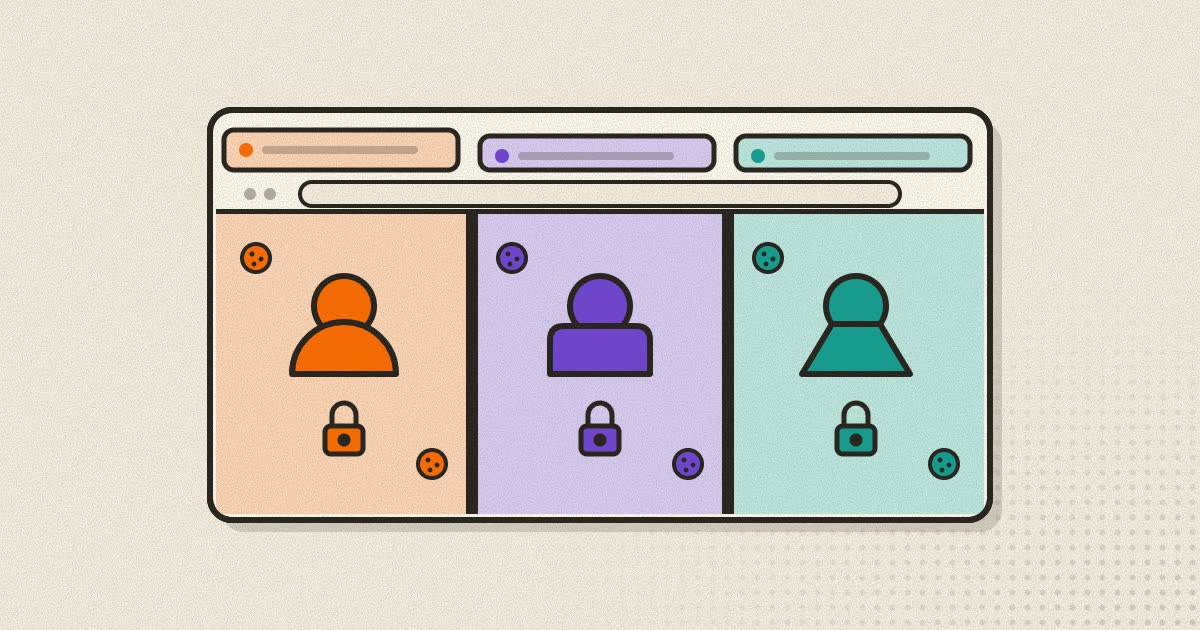
Proxy vs VPN: What Each One Actually Hides
Both put another server between you and the web. They cover different traffic, protect it differently, and hide different things from different people.

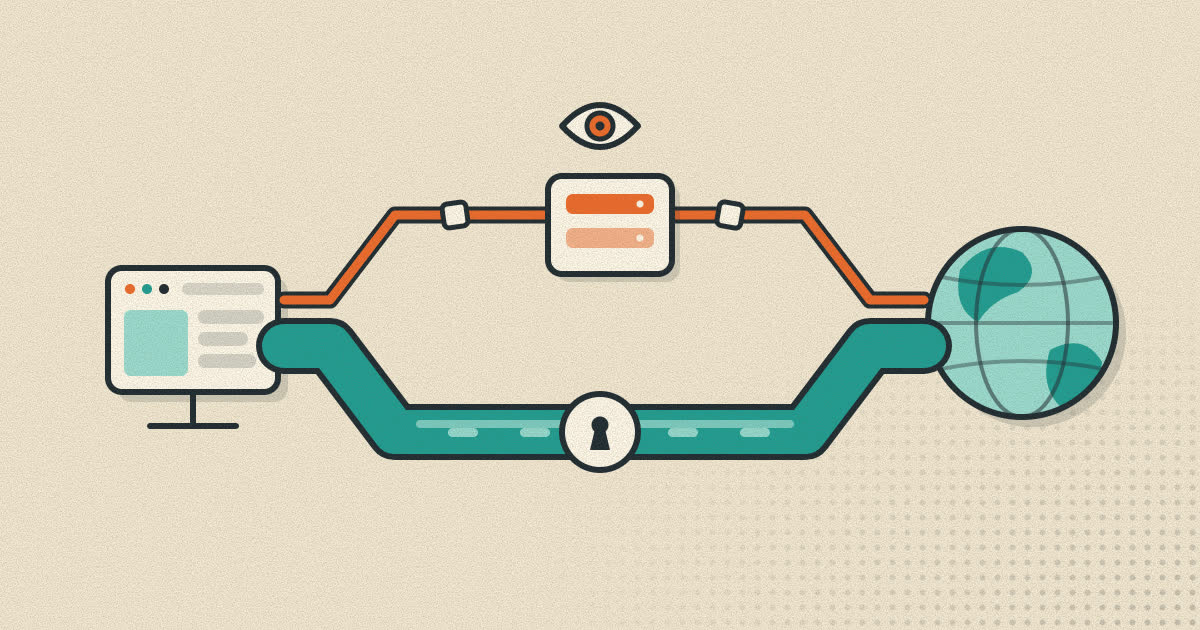
A proxy and a VPN both put another computer between you and the websites you visit. That shared idea is why people use the two words as if they meant the same thing, and why some apps sell a plain proxy with a "VPN" label on it. They are not the same. The difference decides which of your traffic gets rerouted, whether anyone on your network can read it, and who ends up holding the list of sites you visit.
This guide walks through how each one works at the network level, what each one hides and from whom, and when you would pick one over the other.
The short version
A proxy is something a single app is told to use. Your browser sends its requests to the proxy, the proxy talks to the website, and the website sees the proxy's IP address instead of yours. Apps that are not configured to use it keep connecting directly, as if the proxy did not exist.
A VPN works one layer lower, inside the operating system. It creates a virtual network interface and routes traffic from every app on the device through an encrypted tunnel to the VPN server. Your browser, your mail client and the game updating in the background all leave through the same exit.
| Proxy (HTTP or SOCKS5) | VPN | |
|---|---|---|
| What it covers | Only apps set up to use it | Traffic from the whole device, unless split tunneling is on |
| Encryption to the server | None of its own | Yes, that is the purpose of the tunnel |
| What the website sees | The proxy's IP address | The VPN server's IP address |
| What your Wi-Fi or ISP sees | The proxy's address, and usually the names of the sites you request through it | One encrypted connection to the VPN server |
| Where DNS lookups happen | Depends on settings, often still on your own resolver | Inside the tunnel, if the VPN is configured properly |
| Typical setup | A host, a port, and sometimes a username and password | An app or a system profile from the provider |
How a proxy server works
A proxy is a server that makes connections on a client's behalf. Your browser opens a connection to the proxy and asks it to reach a particular site. The proxy connects from its own address and passes data back and forth. MDN's guide to proxy servers separates the two directions you will see described: a forward proxy sits in front of clients, which is the kind you type into browser settings, while a reverse proxy sits in front of servers, the way a content delivery network does.
The two forward proxy types you will meet most often are HTTP proxies and SOCKS5 proxies. They solve the same problem in different ways, and the differences matter.
HTTP proxies and the CONNECT method
An HTTP proxy speaks HTTP. When you load a plain http:// page through it, the browser hands the proxy the full request: the address, the headers, any cookies and any form data. The proxy reads all of it, fetches the page and returns the response. It can log that content, cache it, or change it before you see it. This is the main reason open proxies copied from public lists are a bad idea for anything that matters. You are giving a stranger a seat in the middle of your traffic.
HTTPS works differently. For an https:// address the browser sends the proxy a short request such as CONNECT example.com:443. The HTTP specification defines this method in RFC 9110: the proxy opens a TCP connection to that host and from then on relays bytes in both directions without interpreting them. The browser then performs its TLS handshake with the real website through that tunnel.
The result is that the proxy knows which host you asked for, when, and roughly how much data moved. It cannot read the pages, your passwords or your cookies, because those are encrypted between your browser and the website. An HTTP proxy is a reasonable tool for HTTPS browsing as long as you accept that its operator learns which sites you visit.
SOCKS5
SOCKS is older and more general. Version 5 is defined in RFC 1928, published in 1996. A SOCKS server does not care which application protocol you speak. It relays TCP connections, and version 5 added a way to relay UDP as well through a command called UDP ASSOCIATE. The client tells the server which address and port it wants, the server connects, and after that it simply forwards data.
Two details in the specifications matter in day to day use.
First, SOCKS5 has no encryption of its own. The protocol negotiates how to authenticate and where to connect, nothing more. The most common login method, username and password, is defined in RFC 1929, and that document is blunt about it: the request "carries the password in cleartext," so the method is "not recommended for environments where 'sniffing' is possible and practical." If you use a password protected SOCKS5 proxy across the open internet, anyone on the path between you and that proxy can read the password.
Second, a SOCKS5 request can name the destination either as an IP address or as a domain name. When the client sends the name, the proxy performs the DNS lookup. When the client resolves the name itself and sends only the IP address, the lookup happens on your own connection. That choice has real consequences.
Where your DNS lookups happen
Before a browser can connect anywhere it has to turn a name like example.com into an IP address. If that lookup goes to your usual resolver, which is often run by your internet provider, the provider still receives a list of every domain you visit, proxy or no proxy.
Firefox exposes this as its own checkbox, "Proxy DNS when using SOCKS v5," backed by the network.proxy.socks_remote_dns preference. Mozilla's enterprise policy documentation lists the same switch as UseProxyForDNS. The command line tool curl makes the same distinction in its proxy schemes: socks5:// resolves names locally, while socks5h:// hands the name to the proxy. If the point of your SOCKS5 setup is to keep your browsing away from your provider, check that name lookups go through it too.
How a VPN works
A VPN, or virtual private network, adds a virtual network adapter to your device. The operating system routes traffic into that adapter, the VPN software encrypts it and sends it to the VPN server, and the server decrypts it and forwards it to the internet. Replies come back the same way. Common protocols include WireGuard, OpenVPN and IPsec. They differ in speed and design, but all of them encrypt the traffic between your device and the server.
The Electronic Frontier Foundation's Surveillance Self-Defense guide puts it plainly: a VPN "routes all your web traffic through an 'encrypted tunnel' between your devices and the VPN server," and it "hides your outgoing traffic from your ISP and the local network owner." That second part is the main thing a VPN gives you that a basic proxy does not.
The same guide is just as clear about the limits. Your browsing becomes visible to the VPN provider instead of your ISP, and "a VPN is not a tool for anonymity," because cookies, logins and fingerprinting can still identify you to the sites you visit.
A VPN label is not a guarantee
A VPN is only as trustworthy as the company that runs it and the app you install. In a 2016 study, researchers from CSIRO and partner institutions examined 283 Android apps that request the system VPN permission. 18% of them used tunneling protocols with no encryption at all, around 84% leaked IPv6 traffic outside the tunnel, and 66% leaked DNS traffic. Apps have improved since then, but the lesson still applies. The word on the label tells you nothing about how the app actually behaves.
Who sees what
The clearest way to compare the two is to go through each party that could be watching and ask what they learn.
The website you visit
With either one, the site sees the IP address of the proxy or VPN server instead of yours. That changes the location the site guesses for you and keeps your home connection out of its logs. It does not change anything else. If you are signed in, the site knows who you are. Cookies from earlier visits still identify you. Your browser's fingerprint is identical. Our guide to browser fingerprinting explains how much a site can learn with no cookies at all.
Your Wi-Fi network and internet provider
This is where the two really diverge. With an unencrypted proxy, whoever runs the café Wi-Fi, and your ISP, can see that you are connecting to the proxy. They can usually also see where you are asking it to go, because the destination travels in the clear, either in the CONNECT line of an HTTP proxy or inside the SOCKS request. For HTTPS sites they still cannot read the pages. For plain HTTP sites they can read everything.
With a working VPN they see an encrypted stream to one server and nothing about what is inside it.
There is a useful middle ground. OpenSSH's -D option makes ssh listen on a local port and "act as a SOCKS server," forwarding each connection over the encrypted SSH channel. Point your browser at that local port and the hop from your device to the SSH server is encrypted, so the local network sees only an SSH connection. You get proxy behavior for the apps you choose, with the network protection of a VPN.
The proxy or VPN operator
Both see the destinations of everything you send through them. A VPN operator sees this for every app on the device, not only the browser. Neither can read HTTPS content. Both can log timing, volume and destinations, and both can be compelled to hand those records over. The EFF guide notes that VPN providers receive law enforcement requests like anyone else, and that many keep as much information as ISPs do.
Your other apps
A proxy configured in the browser does nothing for other apps. Your mail client, messengers and system updates keep using your normal connection. Sometimes that is exactly what you want. Sometimes it is a leak you did not notice.
When a proxy is the better choice
- You want routing per app or per profile. A proxy lets one browser profile appear to come from another country while everything else on the device, your banking app included, stays on your real connection.
- You need to see a site the way another region sees it. Developers, marketers and support staff do this constantly to check regional pricing, language redirects and geo restrictions.
- Your school or employer provides one. Many organizations require browser traffic to pass through an authenticated HTTP proxy.
- You already have a server. Any machine you can SSH into becomes a SOCKS5 proxy with a single command, and nothing extra needs to be installed on it.
- You care about overhead. A proxy adds no encryption layer of its own, so it asks less of the battery and processor on older phones.
When a VPN is the better choice
- You are on a network you do not trust. Hotel and café Wi-Fi is the classic case. A VPN hides your traffic from whoever runs it.
- You want every app covered. Plenty of apps have no proxy setting at all.
- You want destinations hidden from your ISP. A plain proxy leaves them visible on the wire.
You can also use both. A browser profile pointed at a proxy, on a device connected to a VPN, sends that profile's traffic into the VPN tunnel first and then out through the proxy.
Mistakes worth avoiding
Treating either one as anonymity
Changing your IP address hides one signal out of many. A logged in account, a saved cookie or a distinctive browser fingerprint links your visits together regardless of the exit address.
Using random free proxies
An open proxy from a public list belongs to someone you know nothing about. For HTTP pages it can read and alter everything you send and receive. Even for HTTPS it learns every site you visit. If you would not hand a stranger your browsing history, do not route your browser through one.
Forgetting DNS and IPv6
A SOCKS5 proxy without remote DNS still tells your resolver every domain you look up. On the VPN side, the leaks found in the Android study were mostly DNS and IPv6 traffic slipping around the tunnel. After changing anything, load a DNS leak test page and confirm the results match what you expect.
Sending proxy passwords in the clear
SOCKS5 username and password authentication is not encrypted. For a proxy you reach over the internet, wrap it in SSH or use a provider that offers an encrypted connection.
A note on Rapid+
Rapid+ Browser has a proxy mode for HTTP and SOCKS5 that you set separately for each profile, with an optional username and password and a test button that checks the connection before you rely on it. It does not supply proxy servers. It connects to the one you choose. The details are on the proxy browser page.
Sources
- RFC 1928: SOCKS Protocol Version 5
- RFC 1929: Username/Password Authentication for SOCKS V5
- RFC 9110: HTTP Semantics, section 9.3.6 (CONNECT)
- MDN: Proxy servers and tunneling
- EFF Surveillance Self-Defense: Choosing the VPN That's Right for You
- Ikram et al., An Analysis of the Privacy and Security Risks of Android VPN Permission-enabled Apps (IMC 2016)
- Firefox enterprise policies: Proxy (UseProxyForDNS)
- curl manual: proxy schemes (socks5 and socks5h)
- OpenBSD manual: ssh(1), the -D option
Written by the Rapid+ Team. We build Rapid+ Browser for Android and Windows. Spotted a mistake or have a question? Email us at admin@rapidplusbrowser.online.