
Browse faster.
Stay private.
A modern browser for Android and Windows with separate profiles, a built-in proxy/VPN mode, a user-agent switcher and a private password manager.
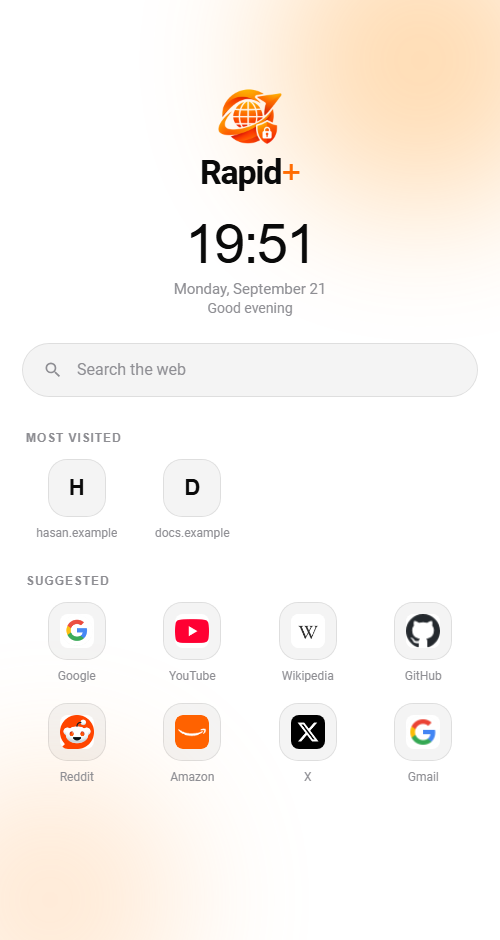
Control over how you browse
The things other mobile browsers leave out.
Multiple profiles
Keep work, personal and shopping separate. Each profile has its own tabs, history, bookmarks, cookies and settings. Switch instantly and your pages stay exactly where you left them.
Learn moreProxy & VPN mode
Route your browsing through your own SOCKS5 or HTTP proxy and turn it on with one tap.
Learn moreUser-agent switcher
Appear as Chrome, Firefox, Safari, iPhone 6, iPhone 13 or iPhone 17, or stay on Default. Handy for sites that behave differently per device.
Learn morePassword manager
Rapid+ offers to save your passwords when you sign in and fills them in later. They are encrypted on your device and never uploaded.
Private tabs
Private tabs leave no history or saved passwords, wipe their cookies when closed, and block screenshots.
Smart address bar
Start typing and Rapid+ suggests pages from your history and bookmarks, ranked by relevance, how often you visit and how recently.
Recently added
Android 1.5 · Windows 1.3.0
Music and video keep playingNEW
Audio and video carry on when you leave the app, with previous, next, shuffle and repeat buttons and the cover art in the notification.
A player for your filesNEW
Open mp3, mp4, pictures and text files from other apps in Rapid+, with a queue from your Downloads. Windows 1.3 has the same player.
Background tabs and page sizeNEW
Tabs you are not looking at keep running, and pages open at the same size as in Chrome instead of zoomed in.
More privacy controlsNEW
New settings to unload inactive tabs, hide your IP address from WebRTC, and choose the time zone websites see.
Your data stays on your phone
No ads. No analytics SDKs. Your history, bookmarks and passwords are stored on your device only.
- Passwords encrypted with the Android Keystore
- Private tabs leave nothing behind
- HTTPS by default, Safe Browsing on
- Signing in to Google is optional
On-device by design
We can’t read your saved passwords. They are never sent to us.
Install in three steps
Download
Tap “Get it on Google Play” and install it like any other app.
Open Rapid+
Accept the terms, sign in with Google if you like, or continue without an account.
Browse
Set up a profile, add a proxy if you use one, and you’re ready to go.
Enjoying Rapid+?
Tell others what you think of Rapid+. Reviews help people find a browser that respects their privacy.
What people are saying
Real, unmoderated notes from visitors — the good and the bad. No sign-in needed, your name is optional.
No feedback yet — be the first to share yours below.
Ready to try Rapid+?
Free on Android and Windows. No account needed.